
Will Bavian's ads make claims my website doesn't make?
Updated 30 October 2026
Bavian writes its ads from what your website and your business details in Bavian say, and it aims not to claim anything they don't. For anything that must never appear, add a rule.
Tell Bavian what never to say
- In Bavian, open Context in the menu, then the Memory tab.
- Write the rule, for example "Never mention prices, discounts or warranties in our ads".
- Choose A rule to follow and click Add.
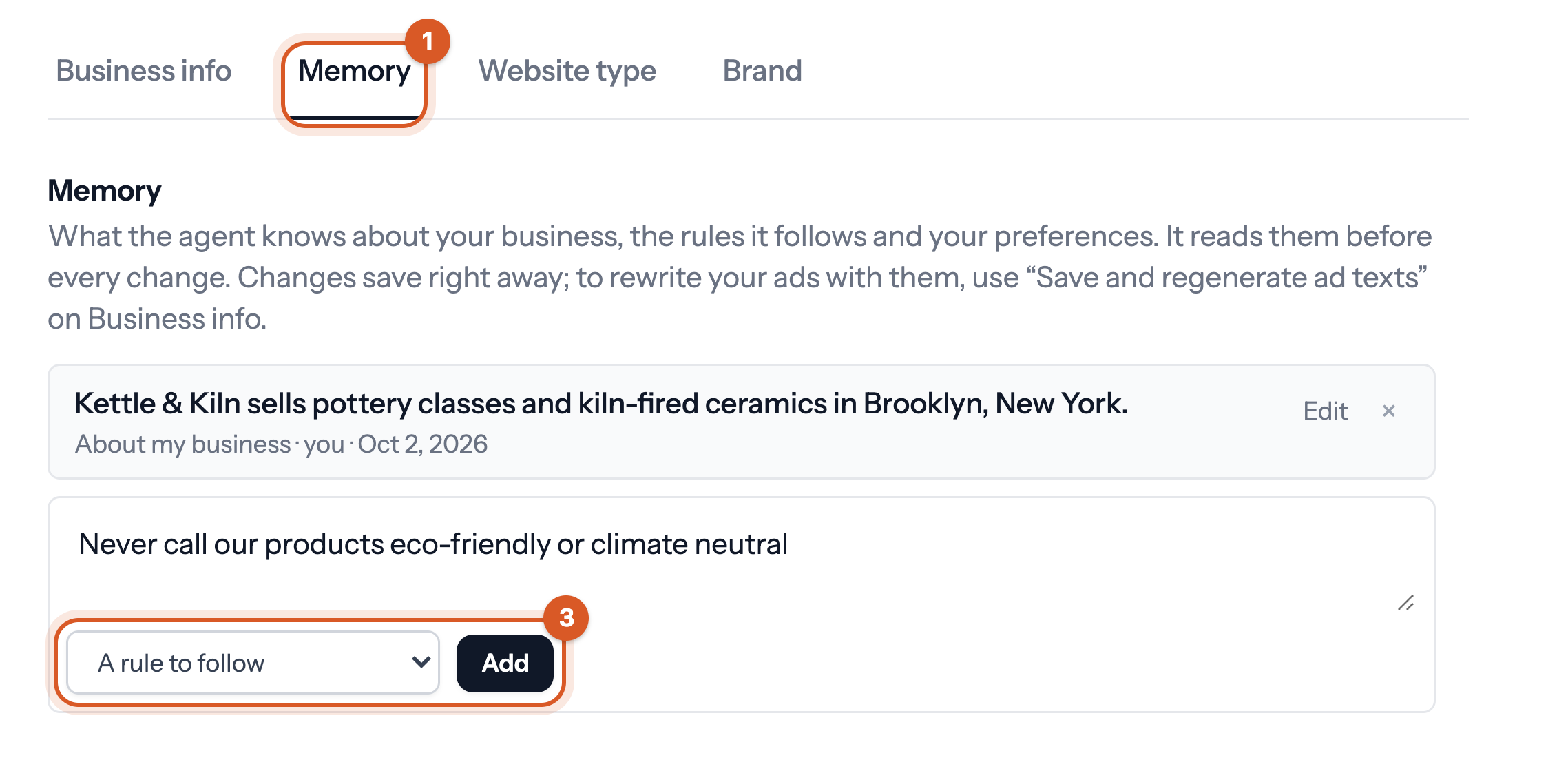
Bavian follows the rule when it writes ads from then on. You can add what the ads must say the same way, for example "Always mention that we're certified by X", and Bavian uses it.
Good to know
- You can read your Search ads under Ad variants in the menu, and ask Bavian in the chat on the Agent page to change an ad. See Where can I see the changes Bavian has made?