
How to create a new campaign
Updated 20 October 2026
Bavian builds and runs your Google Ads campaigns for you, so in most cases you don't need to create one yourself. Your first campaigns are built from your start plan on Insights when you start Bavian.
Once your main campaign is live, you can add two kinds of campaign yourself: a Brand campaign, which shows your ads when people search for your company's name, and a Competitor campaign, which shows them when people search for your competitors.
Create a campaign
- In Bavian, open Campaigns in the menu on the left.
- Click Create campaign.
- Choose the campaign you want. Each option shows the name it will have in Google Ads and the locations it will target.
- Enter a Daily budget for it.
- Click Create campaign.
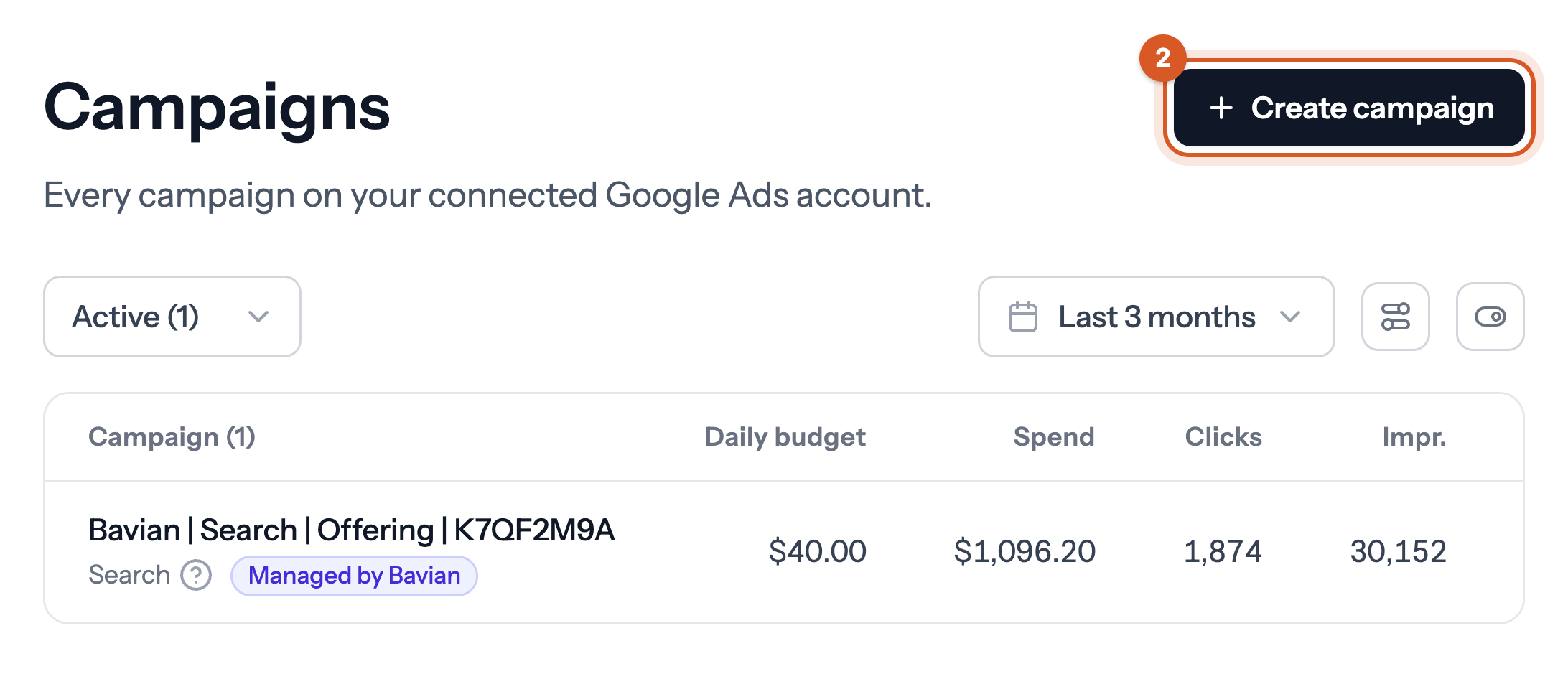
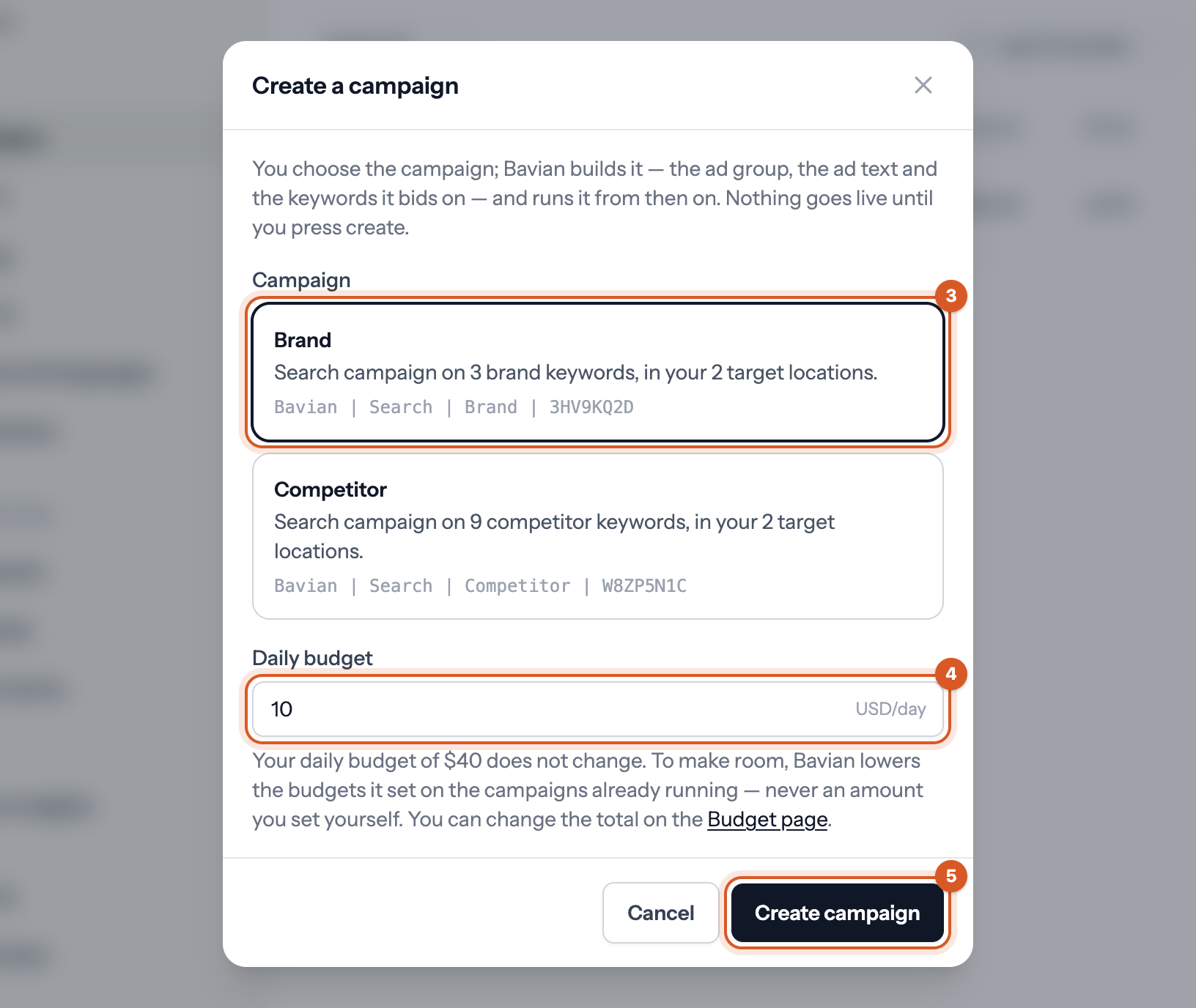
Bavian then builds the campaign on Google Ads, with the ad group, the ad text and the keywords it bids on, and runs it from then on. Nothing goes live until you press Create campaign.
How the budget works
Adding a campaign doesn't change your total daily budget. To make room for the new one, Bavian lowers the budgets it set on the campaigns already running, never an amount you set yourself.
You can change your total on the Budget page. If no total is set yet, the dialog asks you to set one there first.
When a campaign can't be created
The dialog always tells you why when a campaign can't be created. The most common reasons are:
- Bavian hasn't started yet: your first campaigns are built from your start plan on Insights.
- Something is missing: connect a Google Ads account and add at least one location under Locations & languages, so the campaign doesn't show ads worldwide.
- It already exists: you can only have one campaign of each kind, and a competitor campaign needs competitor keywords to start with.
- Your campaigns were taken over from your own Google Ads account: you can't create one here, and Bavian adds a brand campaign for you when the account needs one.
- Your campaigns are still launching: try again once the launch has finished.