
How to get your invoices
Updated 20 October 2026
You can find every Bavian invoice on your Account page. You can also have each new invoice emailed to you, or to your bookkeeper, as soon as it's paid.
Download past invoices
- In Bavian, open Account in the menu on the left.
- In the Managed ad accounts card, click Previous invoices.
- Your billing page opens in a new tab. It's hosted by Stripe, our payment provider, and lists your invoices, which you can open and download as PDFs.
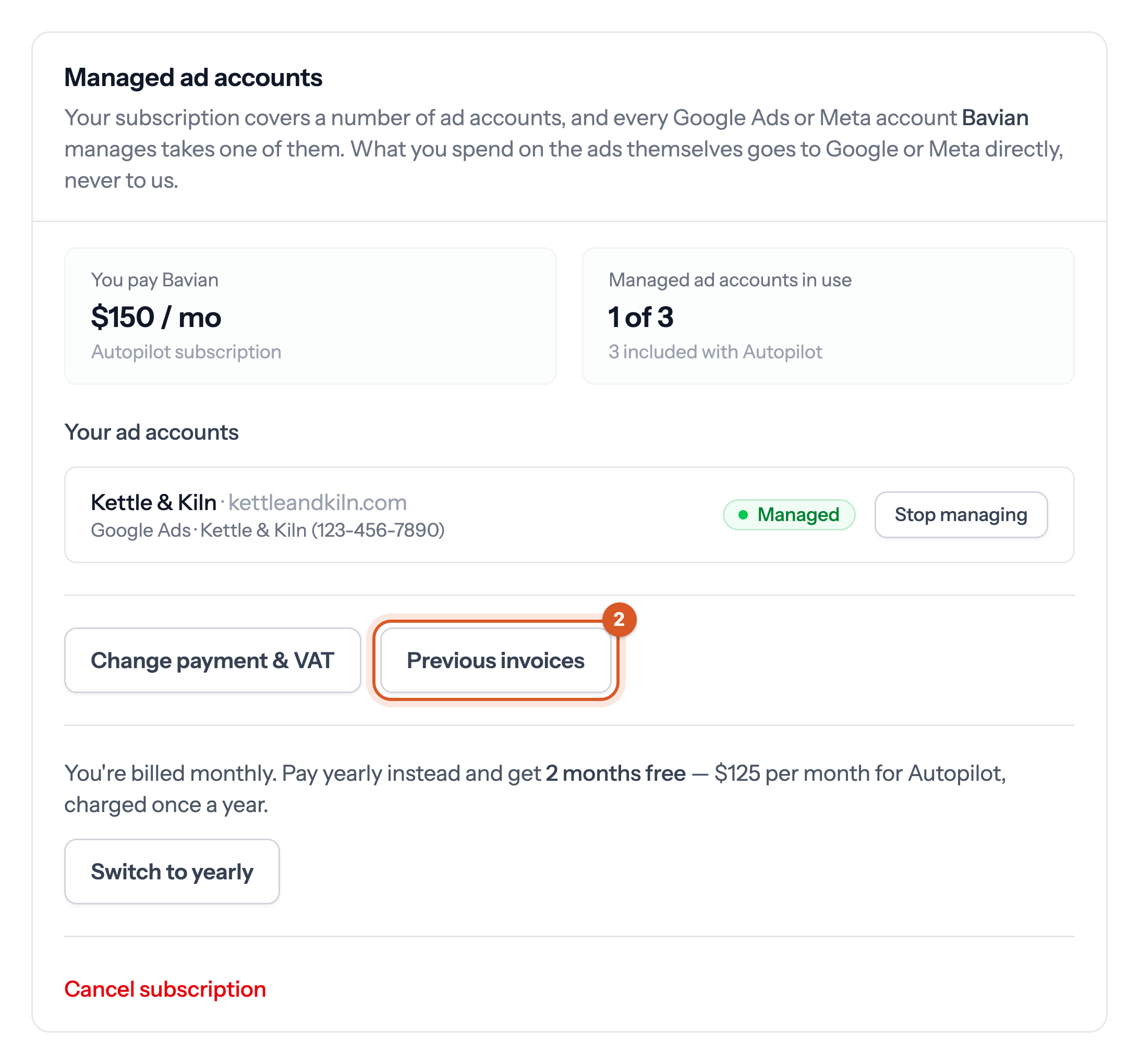
The same page is where you update your payment method and VAT number. The Change payment & VAT button opens it too.
The buttons show once your subscription has started, and only your organization's owner can see them. If you're a team member, ask the owner for the invoice.
Get invoices by email
- In Bavian, open Account in the menu on the left.
- In the Invoice emails card, switch on Email invoices.
- Under Sent to, enter the address that should receive them, for example your bookkeeper's. Leave it blank to use your account email.
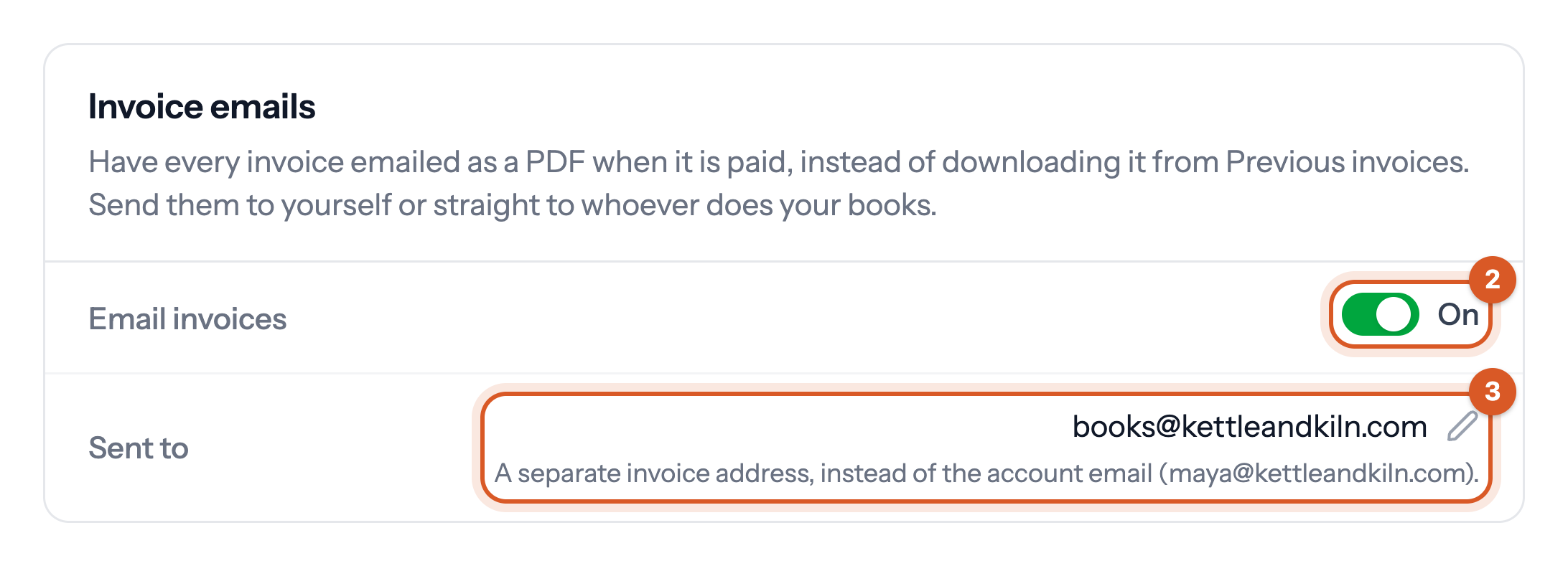
From then on, every invoice is emailed as a PDF when it's paid. Only the owner can change this setting.