
How do I pause or stop Bavian?
Updated 11 November 2026
You can turn Autopilot off at any time, and turn it on again later. Your campaigns stay in your Google Ads account either way.
Turn Autopilot off for a while
- In Bavian, open the Agent page.
- Click Active, then Turn off.
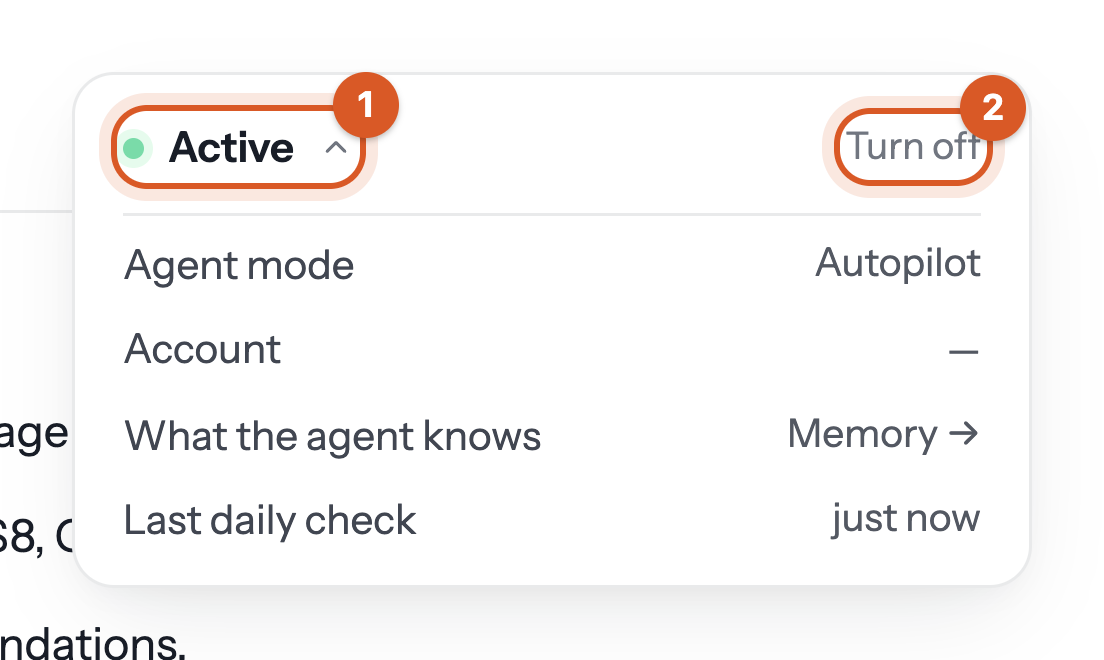
While Autopilot is Off, Bavian makes no changes on its own. Changes you make yourself in Bavian still go through. Your campaigns keep running, and your subscription continues. Click Turn on to start again.
Stop for good
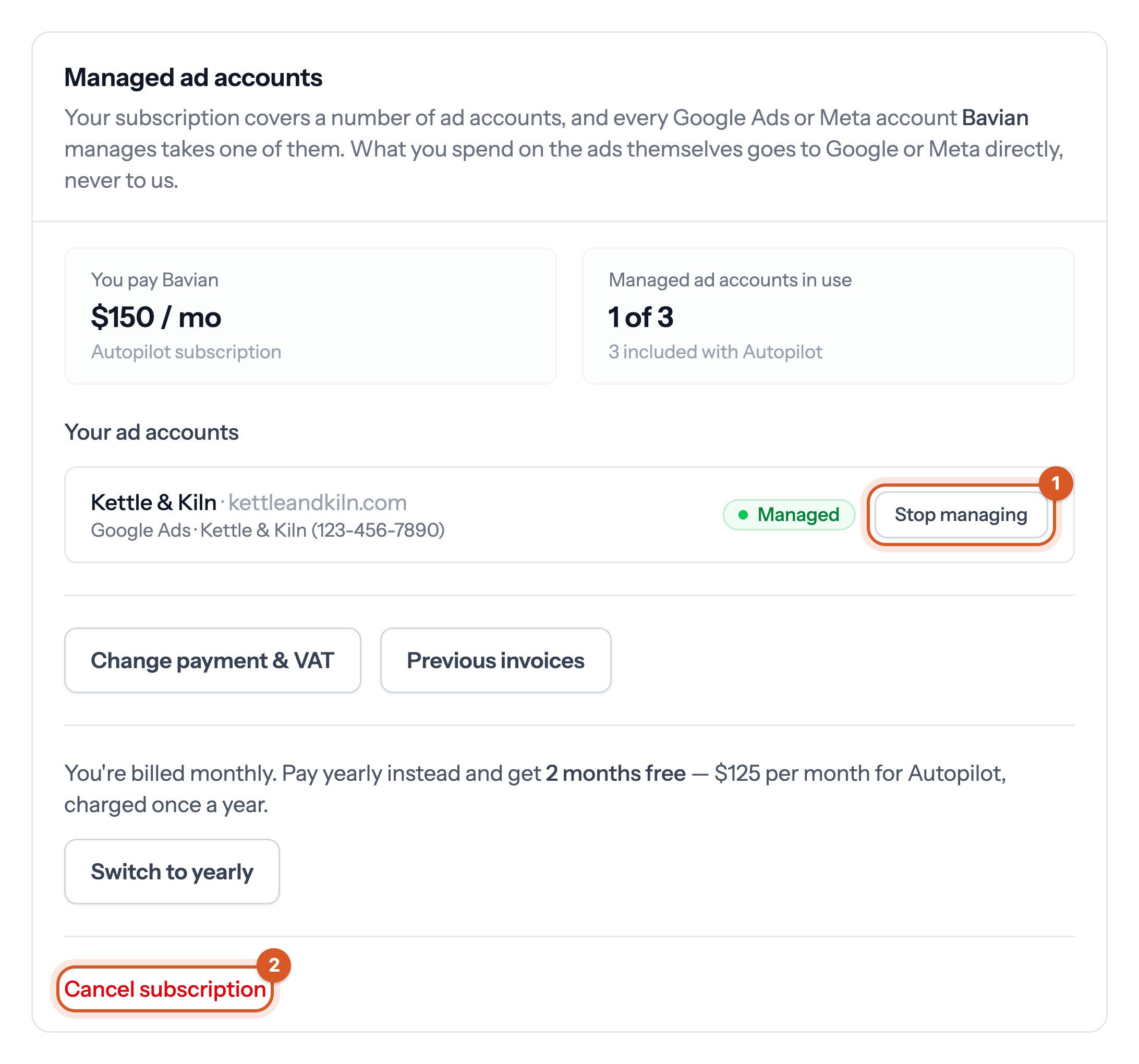
The owner goes to Managed ad accounts on the Account page:
- Stop managing stops Bavian's work on that account right away, but doesn't change what you pay.
- Cancel subscription ends your subscription at the end of the period you've paid for, and Bavian keeps managing until then. Resume subscription undoes it before that date.
Good to know
- Stopping pauses nothing in Google Ads. Your campaigns stay exactly as they are, and the ones that are running keep spending. Pause them in Google Ads if you want your ads to stop.
- Stopping doesn't undo Bavian's changes. If you want some rolled back, ask us before you stop. See Can I undo the changes Bavian makes?