
I raised my total daily budget. Why aren't my campaigns spending it?
Updated 20 October 2026
Usually for one of two reasons: the new money isn't on your campaigns yet, or the campaigns can't use more than they're getting.
The money isn't on a campaign yet
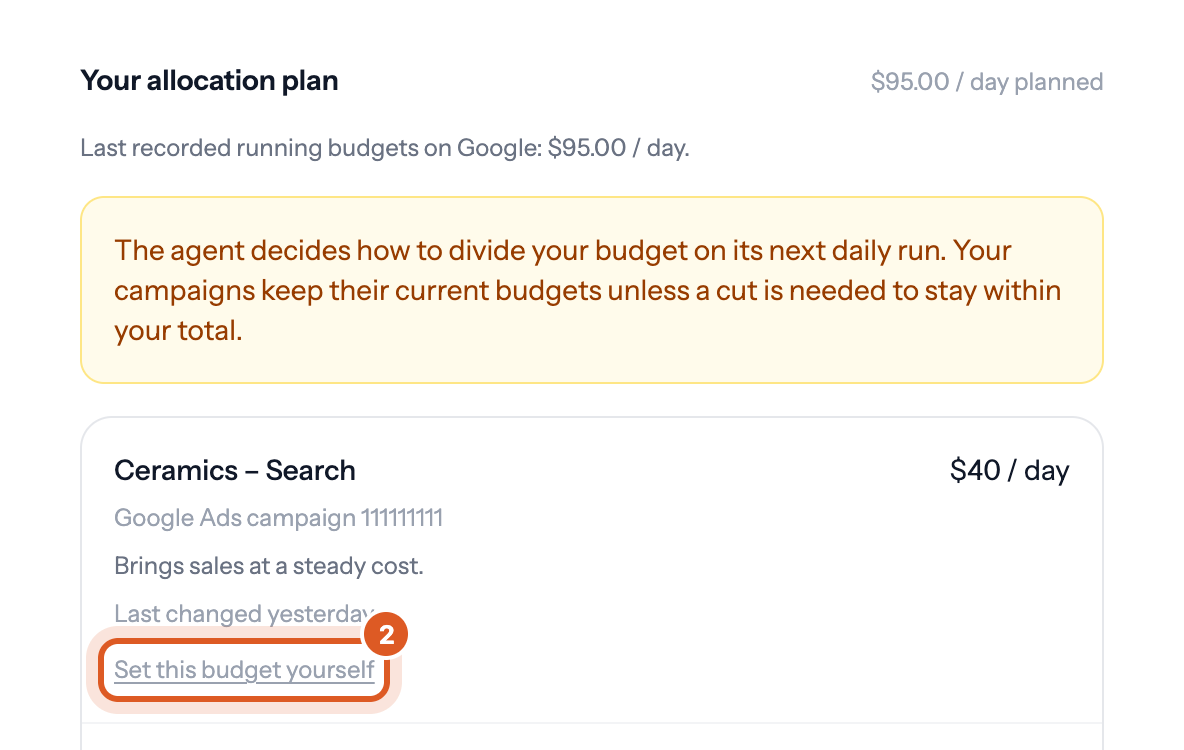
When you raise your total daily budget in Bavian, your campaigns keep their current budgets at first. Bavian divides the extra money in its next daily run. Until then, the Budget page in Bavian says that the agent decides how to divide your budget on its next daily run.
The campaigns can't spend it
Your total daily budget is a cap, not a promise of spend. Google decides how much a campaign spends, and it spends less when there aren't enough searches or the bids don't win enough auctions. See How does Bavian’s budget limit work?
Put money on a campaign yourself
- In Bavian, open the Budget page.
- On the campaign's row, click Set this budget yourself.
- Enter the amount and click Save.
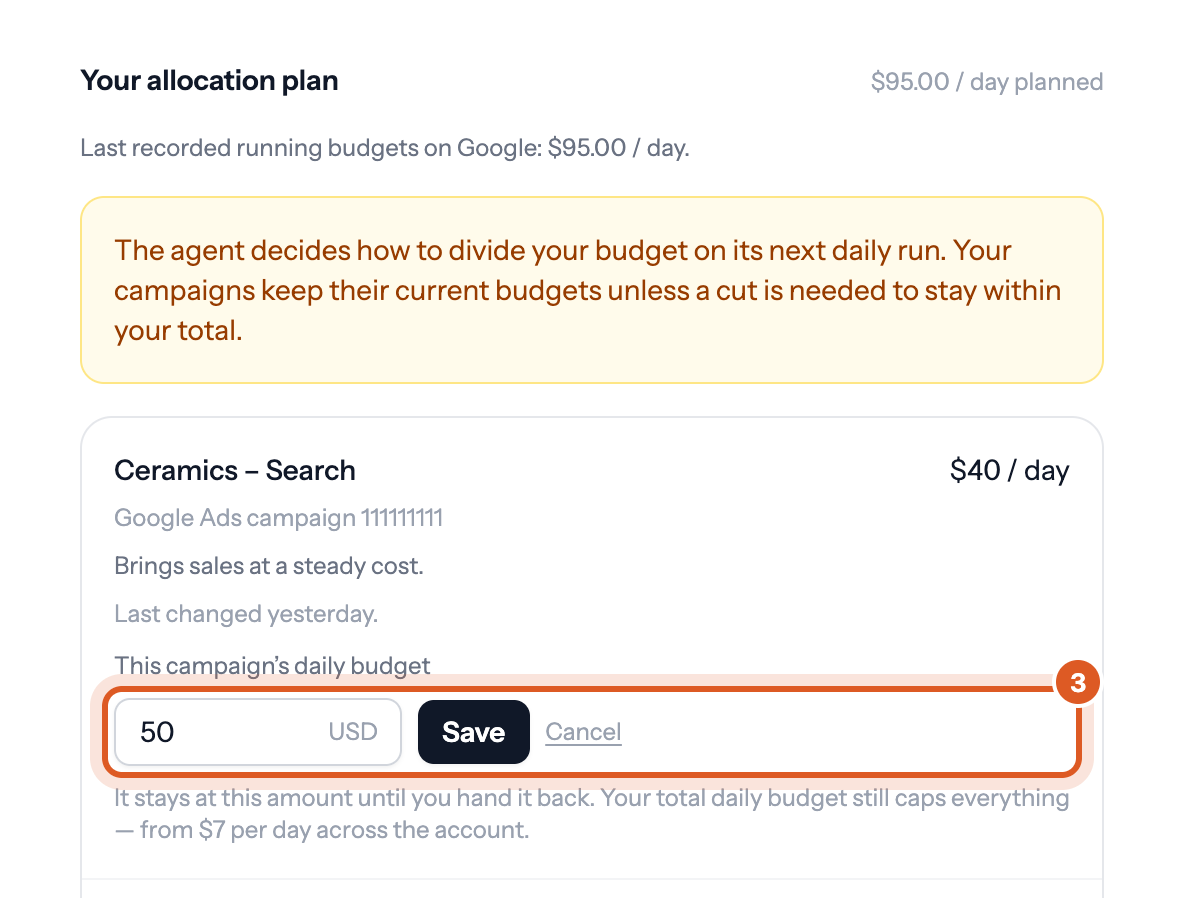
The amount reaches Google Ads within minutes, and Bavian keeps it until you click Change the amount you set, then Let Bavian decide it again.
Good to know
- If the agent is paused, nothing places the new money until you resume it.