
Why does Bavian say my Shopping import isn't complete yet?
Updated 23 October 2026
Bavian is still reading your products from Merchant Center, and an online store can only start Autopilot once that's done. The import usually finishes within a few minutes. A large product catalogue can take longer.
Check the import
- In Bavian, open Shopping.
- If you see Importing your products…, the import is running. Leave it to finish.
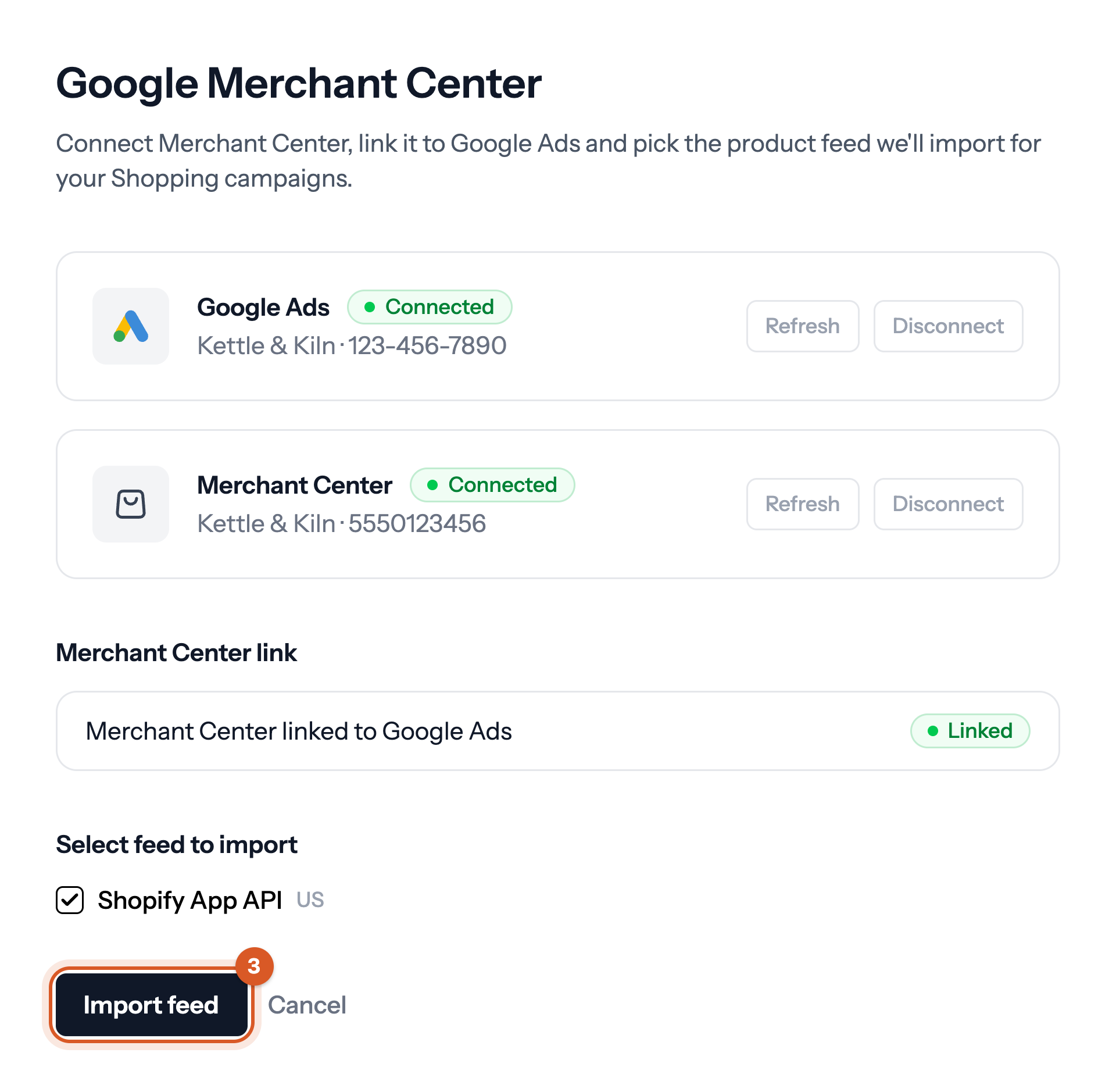
- If it isn't running, click Setup, make sure your Merchant Center is connected and linked, tick your feeds under Select feed to import and click Import feed.
When the import has finished, go back to Insights and turn on Autopilot.
If it doesn't work
- The import failed. Please try again. or another red message above Import feed: click Import feed again.
- Link your Merchant Center account to Google Ads in Google, then refresh to continue. Link the accounts in Google, then click Refresh under the message.
- No data sources found in your Merchant Center account. Add your product feed in Merchant Center first, then reload the page.
If the import still hasn't finished after a couple of hours, write to support@bavian.com with a screenshot of the Shopping page.
Good to know
- The import only reads your products. It changes nothing in Merchant Center or Google Ads.
- See How do I connect my Merchant Center account to Bavian?