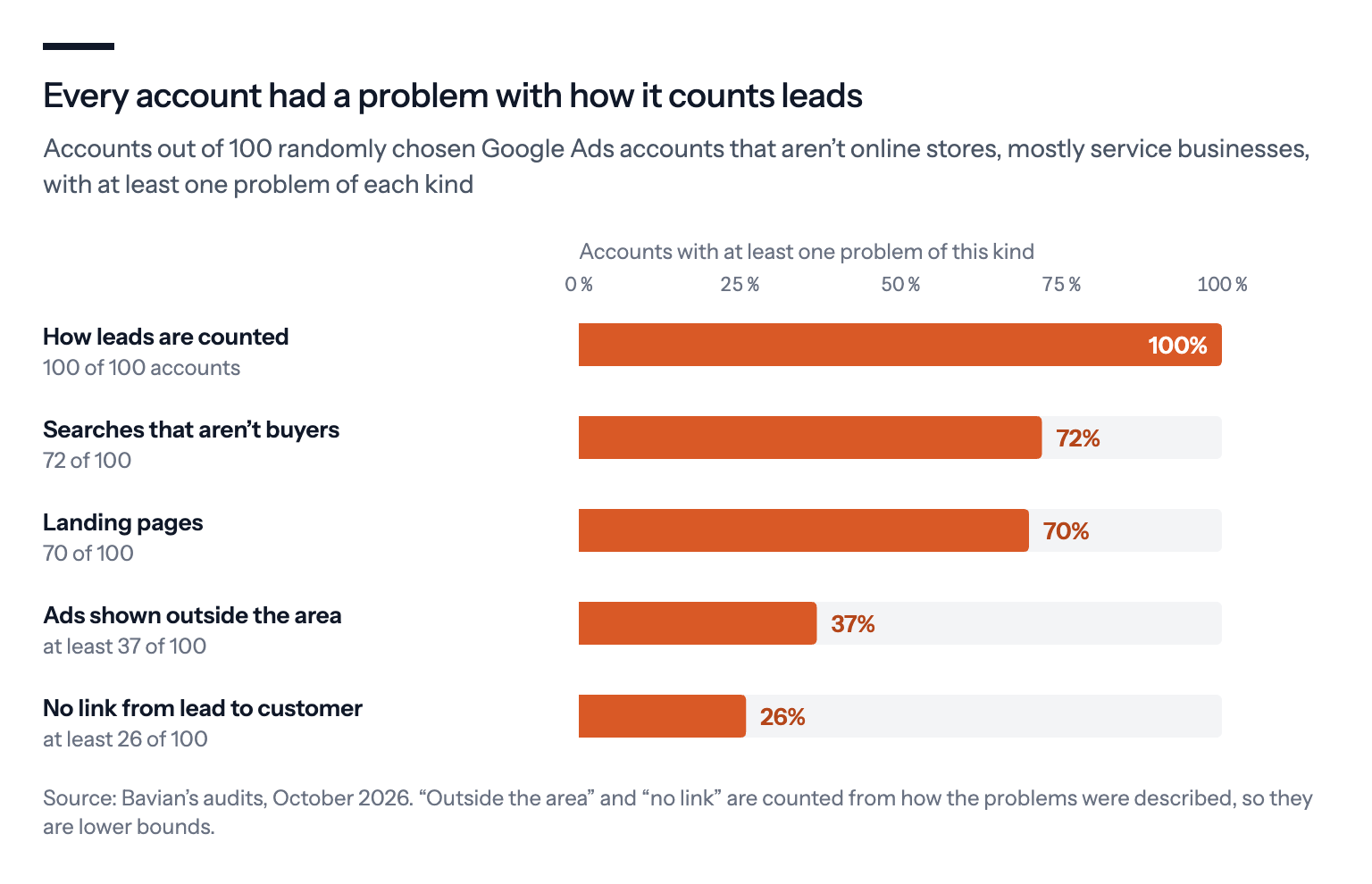
In 100 Google Ads accounts of service businesses and other non-stores, every one had a problem with how it counts leads. Here are the five mistakes we found most, from soft actions counted as leads to ads shown far outside the service area, and what Bavian fixes or flags for you.
The phone rings, the forms come in, and Google Ads reports a good cost per lead. But the jobs don't follow.
It's a common story, and the accounts behind it tend to look alike. We picked 100 accounts at random from the Google Ads accounts Bavian had audited by October 2026 that aren't online stores. Most belong to service businesses: clinics, tradespeople, schools, agencies, consultants. The same five problems kept coming up.
The short version
- All 100 accounts counted leads in a way that can mislead the bidding: soft actions such as page visits counted as leads, the same lead counted several times, or, in one account, calls counted after a second.
- At least 26 had nothing linking a lead to a paying customer, which is where "calls but no jobs" usually comes from.
- At least 37 showed ads far outside the area they serve, 72 paid for searches from people who weren't buyers, and 70 sent every click to the homepage.
- Fix what counts as a lead, then tell Google which leads became customers. Google now has goal types built for exactly that.
Here's each one, what Bavian does about it, and what's left for you.
1. The wrong things count as leads
Found in all 100 accounts.
Every one of these accounts had at least one problem with how its conversions were counted. The common ones:
- Soft actions counted as leads. A visit to the contact page, a click on the phone number or a YouTube subscription counted the same as a form someone actually filled in.
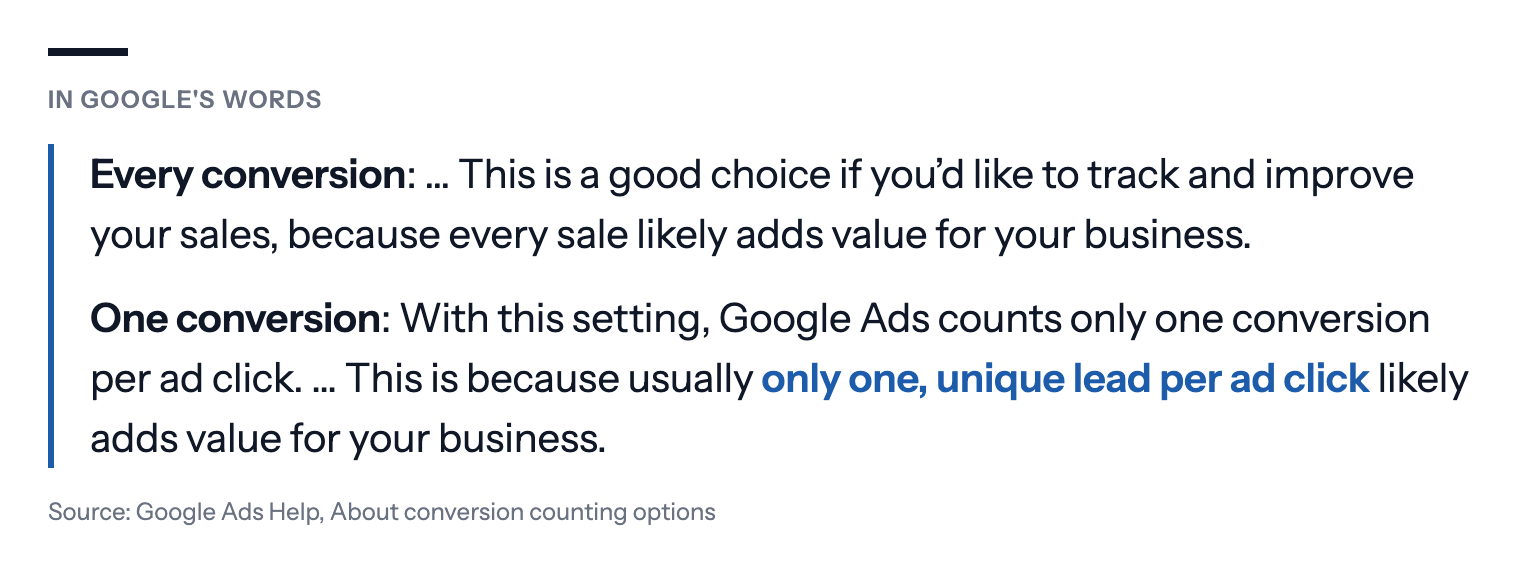
- Every lead counted again and again. In at least 20 of the 100 accounts, lead actions were set to count every conversion after a click, so one person sending two forms counts as two leads.
- Calls that aren't calls. One account was set to count any call from an ad lasting more than one second as a lead.
- Fixed values that look like revenue. Every form worth about $220, every registration worth under $20, so the "conversion value" in the reports is a guess, not money.
A roofing company that counts every tap on its phone number can see 40 "calls" a month in Google Ads, while only 9 people actually called.
Google's own advice is to count leads once per click, and sales every time:
For a call, Google usually counts it as a conversion when it lasts longer than a minimum length that you set yourself (in the US and Canada, it can judge recorded calls with AI instead). Set it to the length of a real enquiry, not a wrong number.
What Bavian does: Once Autopilot is on, Bavian checks your conversion tracking every day. It can make the actions that matter primary and soft ones such as page views and YouTube actions secondary, and change a lead action set up in Google Ads to count once per click. Where it finds a fault in a setting, you'll see it on the Agent page: click the count next to Account, and it's marked "The agent can fix this". Until your tracking can be trusted, Bavian doesn't move campaigns to bidding for conversions.
What's left for you: Bavian can't see your website's tracking code. If the form or call tracking itself is broken, it's marked "Only you can fix this", with the steps under Show me how.
2. Nobody knows which leads became customers
Found in at least 26 of 100 accounts.
This is where "calls but no jobs" usually comes from. Google Ads counts the form and the call. It has no idea which of them became a paying customer, unless you tell it. In these accounts, the audit found nothing that linked a lead to a sale: zero paying conversions over twelve months, a "qualified lead" action from the CRM that had never recorded anything, or lead values that were placeholders.
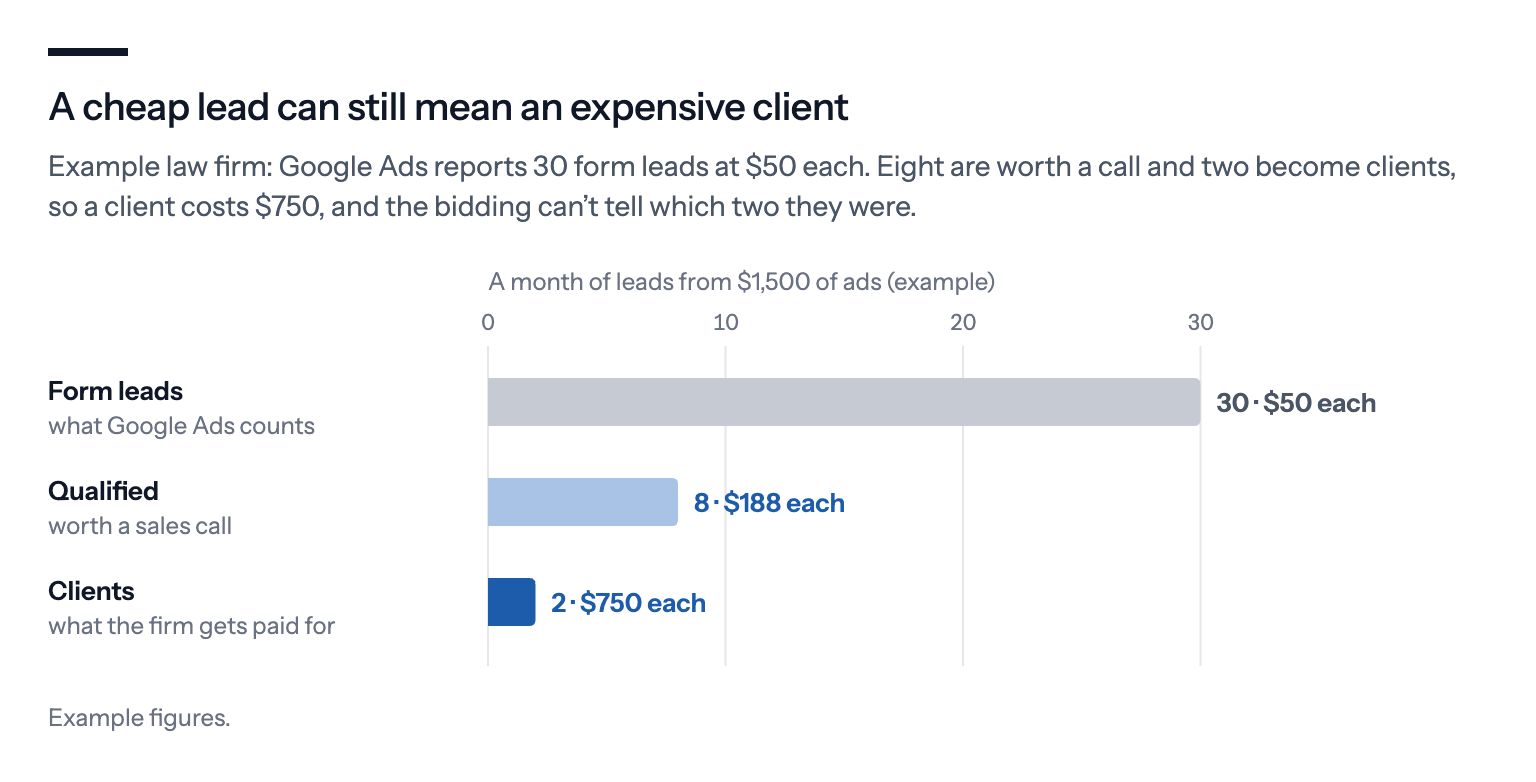
Without that link, Smart Bidding learns to find people who fill in forms. Those aren't always people who buy.
Take a law firm that gets 30 form leads a month at $50 each and thinks that's cheap. Two of them become clients, so a client really costs $750, and Google has no idea which two.
"Somewhere between the form submission and the sales pipeline, lead quality data just disappears," writes Laura I. Abreu, a lead generation and ads manager, in Search Engine Land. Her fix is to capture an identifier, such as the click ID, email or phone number, when the form is sent, so the outcome in your CRM can be matched back to the ad later.
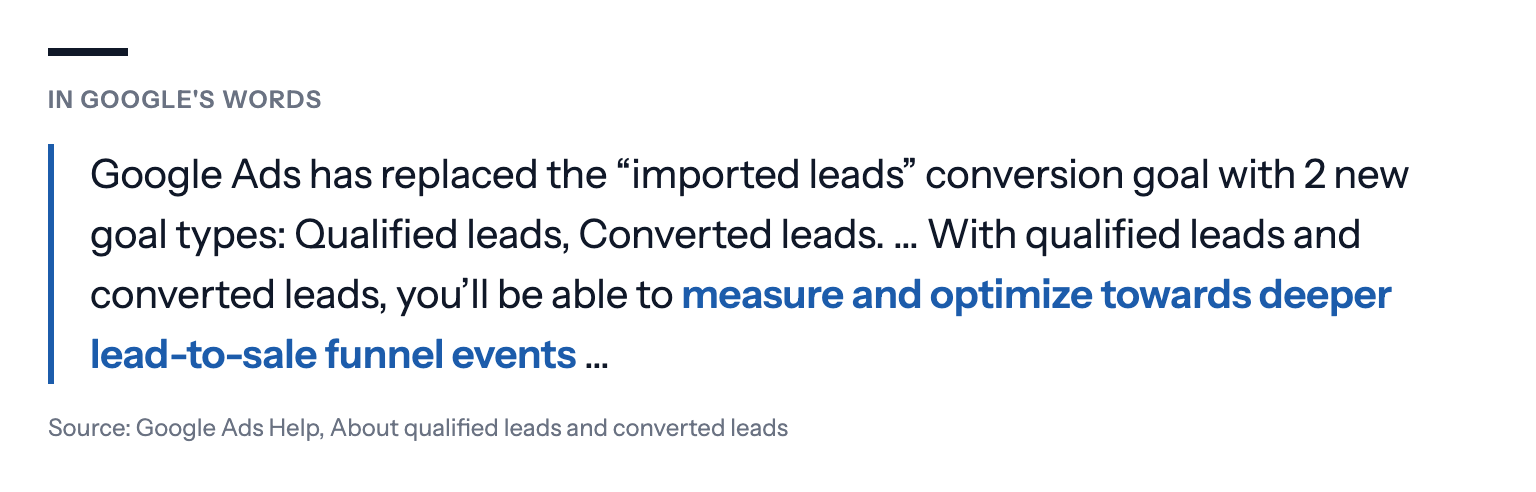
Google has made room for this. It replaced the old "imported leads" goal with two goal types of its own, and this year added a tool for mapping the stages from lead to sale.
What Bavian does: Bavian reads every conversion action in your account. If you import qualified leads or won jobs into Google Ads, for example from your CRM, Bavian can add them to the goals your campaigns bid for, once they're recording conversions.
What's left for you: The import itself. Google offers offline conversion import and enhanced conversions for leads, which match the leads you mark as qualified or won back to the ad click, and the qualified and converted lead goals to put them in. Many CRMs can send them automatically. Even a simple monthly upload of which leads became customers tells Google more than any form count.
3. Ads show far outside the area you serve
Found in at least 37 of 100 accounts.
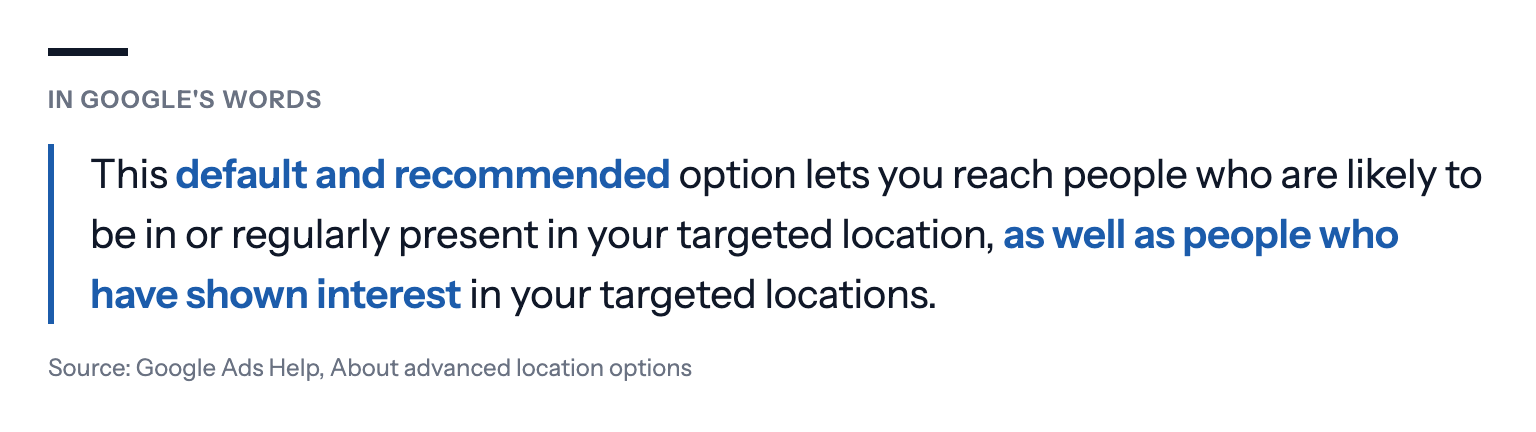
A plumber in one city doesn't want clicks from another country. Google's default location setting reaches people in your area, and also people who've shown interest in it:
For a local service, that can be expensive. In one account, over 70% of the recent spend came from people Google placed outside the selected locations. In a campaign in another account, it was almost all of it. At a mobile car-wash firm, nearly three quarters of the spend came from people in towns it doesn't cover.
For example, a pool cleaner in Miami can pay for clicks from people in Toronto who searched "Miami pool" while planning a holiday.
What Bavian does: Bavian reads which country the people who clicked were actually in, campaign by campaign. Where the spend outside your area doesn't pay, it can switch the campaign to reach only people in or regularly in your locations, the setting Google calls Presence.
Pro tip: Check your service area on Bavian's Locations page. You can target a radius around a city, a postcode or your address. See How do I target a city or specific geographic radius?
4. Money goes to people who aren't buyers
Found in 72 of 100 accounts.
Service searches attract people who want something other than your service. In these accounts, the money went to:
- job seekers ("electrician jobs");
- do-it-yourself searches, when the business sells the service;
- competitors' names, often with no enquiries to show for it;
- people looking to buy the equipment rather than hire the service.
Some campaigns ran with no negative keywords at all.
Picture an electrician paying for "electrician salary", "how to become an electrician" and "electrician jokes".
What Bavian does: Every day, Bavian reads the last 30 days of searches with what each one cost and brought in. It blocks searches that clearly don't fit your business, such as jobs, DIY or services you don't offer, after checking your business details and website. It blocks searches that cost money without leads once there's enough to go on, and never one that brought a conversion on that campaign in the last three months. See How does Bavian decide which search terms are wasted spend?
Pro tip: Tell Bavian what you don't do. A line in Memory on the Context page, such as "We don't do commercial properties", helps it tell a near miss from a lead.
5. Every ad lands on the homepage
Found in 70 of 100 accounts.
Someone who searched for a specific service and lands on your front page has to find it all over again. In one account, more than 99 of every 100 paid clicks went to the homepage. In others, booking and call sitelinks also pointed to the front page, or a sitelink for one service area pointed to another region's page.
Someone searches "emergency boiler repair" at 11 pm and lands on a homepage that opens with "Family business since 1987" and a photo of the team.
To be fair to the homepage: for many small service businesses it's the best page on the site, the one with the most care put into it, and it can convert better than a thin subpage. The problem is a specific, urgent search landing on a general page when a page for that service already exists.
What Bavian does: Bavian doesn't move ads off the homepage on principle. It reads what each ad and its searches are about, compares that with the actual content of the pages on your site, and only moves an ad when a page clearly fits better. Contact, cart, checkout, privacy and terms pages are never candidates. When nothing fits better, the ad stays where it is. When Bavian does move an ad, it rewrites the ad to match the new page, follows the results in the days after, and can undo the move. It can do this for an ad, or an ad group it built.
What's left for you: If a service has no page of its own, Bavian has nowhere better to send the click. One page per main service, with a clear way to call or book, is often the cheapest improvement you can make.
Where these numbers fall short
Each number says how many accounts had at least one problem of that kind, not how much it cost. Two of them, ads outside the area and no link from lead to customer, are counted from how the audit described the problems, so they're lower bounds: the real share is probably higher.
The accounts are ones whose owners chose to connect them to Bavian, mostly small businesses, so they may not match the average advertiser. And no audit of a Google Ads account can see what happens after the call: which leads your team followed up, how quickly, and why some never booked. A lead that went cold because nobody rang back looks the same in Google Ads as a lead that was never real.
What we'd do first
Make one or two actions your leads. A real form and a call long enough to matter. Everything else secondary, and leads counted once per click.
Tell Google which leads became customers. An import from your CRM into Google's qualified or converted lead goals, or a monthly upload. It's what lets Google aim for jobs, not just calls.
Check where your clicks come from. If you serve one area, reach people who are in it.
Block the job seekers and DIYers. And tell Bavian what you don't do.
Give each main service a page of its own. With a phone number and a booking button above the fold.
If you use Bavian, it does the Google Ads side of this every day, and the Agent page says what it changed and why, and what only you can fix. The free audit shows what it would do in your account before you pay, and nothing changes until you turn on Autopilot.
The same patterns turned up across every kind of account. See Bavian audited 100 Google Ads accounts. The same 5 mistakes kept showing up.
About the numbers: we drew 100 accounts at random from those Bavian had audited by October 2026 that aren't online stores. Each number is how many of them had at least one problem of that kind in Bavian's audit. Ads shown outside the area and no link from lead to customer are counted from how the problems were described, so they are lower bounds. The examples are illustrations, with details changed so no account can be recognised.