If you can't send profit to Google Ads, you can still stop it from treating a 15% product like a 60% one. Group your products into a few margin bands with a custom label in Merchant Center, and give each band its own return on spend target.
The most precise way to make Google Shopping bid for profit is to send profit as the conversion value. Many online stores can't do that yet, and many don't want to hand Google their product costs either.
There's a rougher way that needs neither: tell Google which products earn a lot and which earn little, and give each group its own target. Once you know your margins, it takes one field in your product data and an afternoon in Google Ads, and it's the usual first step for stores with mixed margins.
The short version
- Merchant Center has five optional fields, custom labels, for grouping products your own way. Put a margin band in one of them.
- Split your Shopping or Performance Max campaigns by that band, and give each campaign a target above its own break-even.
- Two or three bands are usually enough. Every band you add splits your sales data further, and Google itself warns that segmenting can make Smart Bidding less efficient.
- Google is testing a way to weight products without splitting campaigns at all, so check your account for it before you restructure.
Why one target doesn't fit a mixed catalogue
A Target ROAS is the return on ad spend you ask Google to aim for. In a Shopping campaign that sells everything, it applies to every product alike.
That's fine if your margins are alike too. But a store that earns 50% on its own designs and 20% on branded goods it resells needs a ROAS of 2x on the first just to break even, and 5x on the second. One target set in between loses money on the branded goods and holds back the designs that could afford to bid higher.
Google's bidding can't tell the difference on its own. With order values in your tracking, a $100 sale is a $100 sale, whatever it left you. Our article on what a good Google Ads ROAS is explains the break-even sum behind those numbers.
Custom labels, in short
Merchant Center has five fields for your own grouping, custom_label_0 to custom_label_4. Whatever you put in them is yours to define, Google never shows it to shoppers, and Performance Max, Shopping and Demand Gen campaigns can all use them.
![In Google's words: If you advertise your products through Performance Max, Shopping, or Demand Gen campaigns in Google Ads, use custom labels to group products for reporting and bidding. Source: Google Merchant Center Help, Custom label 0–4 [custom_label_0–4]](https://bavian.com/api/public/insight-image?path=2026-10-22%2F6715e095-labels-google-quote.png)
Each product can hold one value per label, and each label can have up to 1,000 different values across your account, which is far more than margin bands need. Google's own examples include a label for exactly this, defined as "Margin", with the values "Low margin" and "high margin".
Two or three bands are usually enough
Sort your products by gross margin, what's left of the price after the product cost, and put them in two or three bands. Each band gets its own break-even ROAS before shipping and fees, which is 1 divided by the margin.
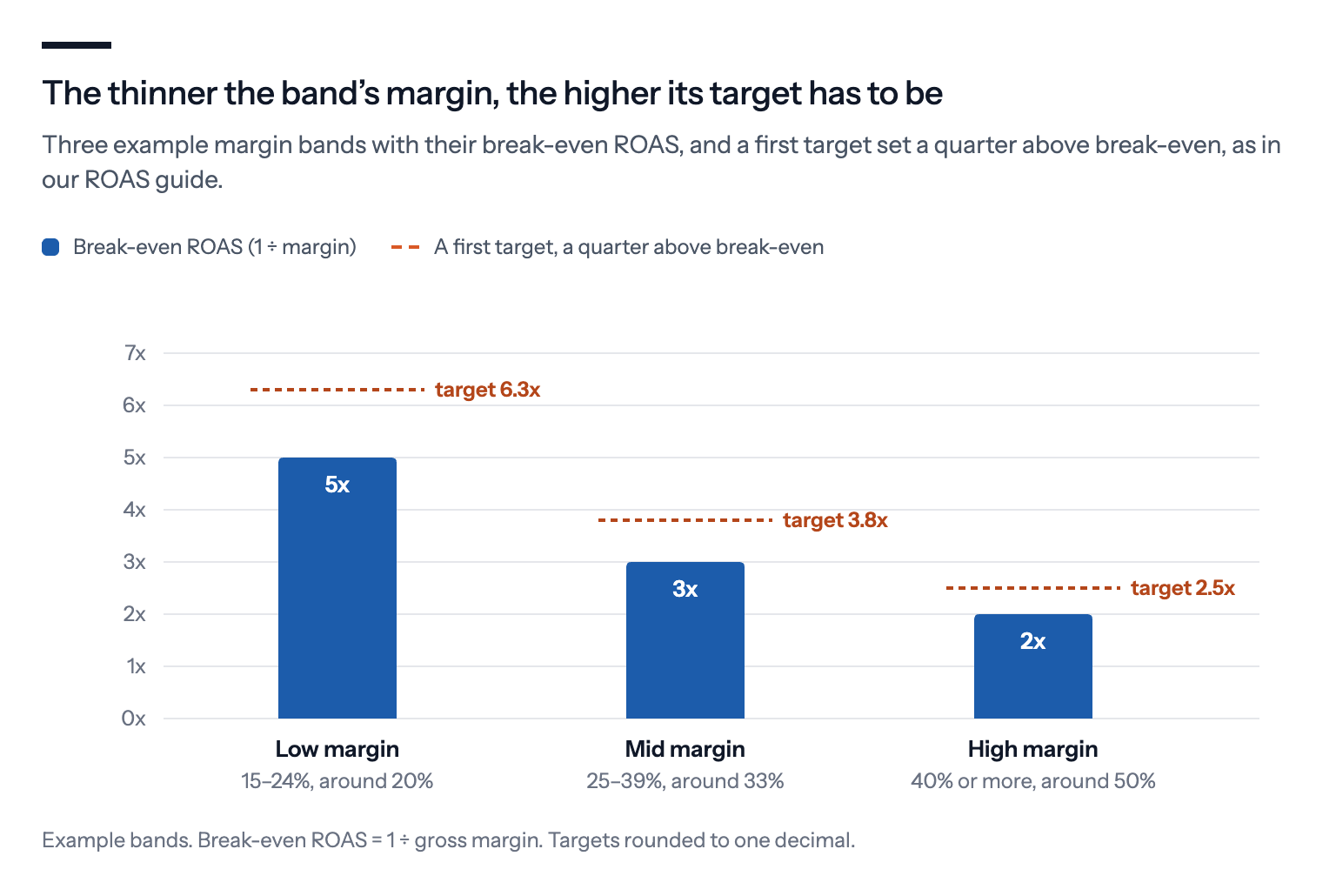
Fewer bands is better than more, and Google says why. Its guide to account structure, written for Search campaigns, argues that one target lets Smart Bidding find the most conversions, and that splitting traffic makes it optimise for several targets separately.
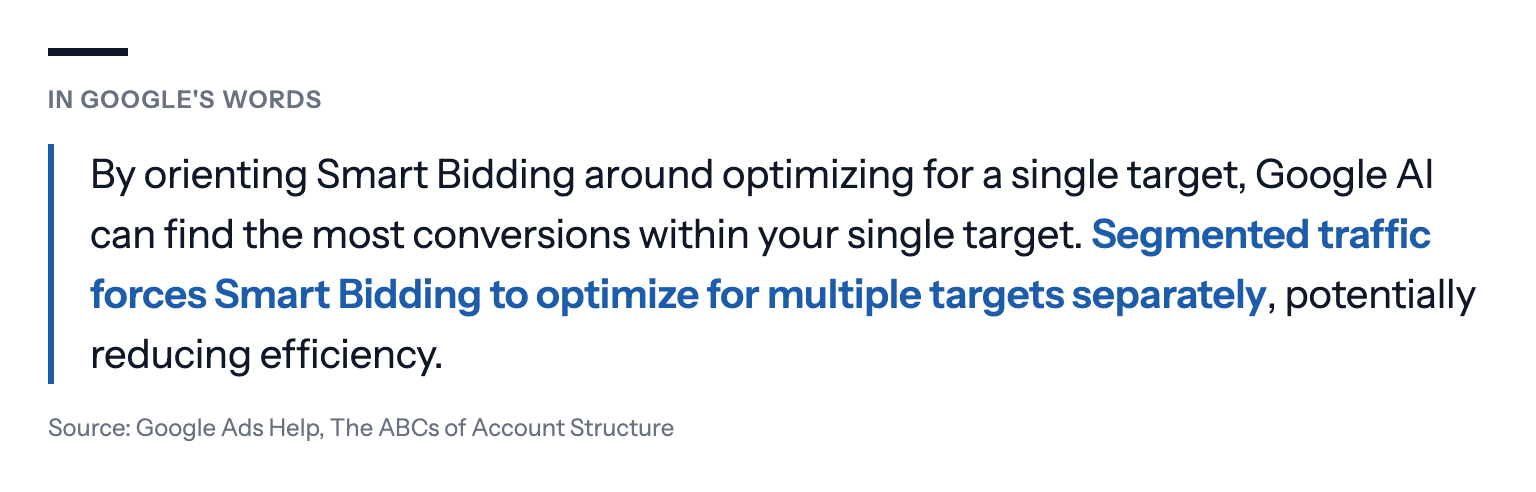
That's the trade-off in a sentence. Margin bands give each group a target that fits, and cost you some of the data that makes the bidding good. Two or three bands that each sell steadily are worth it. Five bands of a handful of sales each give the bidding too little to go on.
A band that can't be advertised at a profit at any sensible target doesn't need a campaign at all. Exclude it, and spend the money where it earns.
Set it up
- Work out each product's gross margin, excluding VAT. A margin per product category is enough to start.
- In your feed, or with a rule in Merchant Center, put a band in one unused custom label, for example custom_label_1 with "low", "mid" and "high". Rules can assign the band from values you already send, such as product type or brand.
- In Google Ads, split your Shopping or Performance Max campaigns by that label, so each campaign includes only its band's products. Google's guide to custom labels for Shopping ads explains how labels work in product groups. In Performance Max, the target is set per campaign, not per asset group, so each band needs its own campaign to get its own target.
- Give each campaign a target ROAS a bit above that band's break-even.
- Recheck the bands every quarter, and before every sale, because a discount moves a product down a band.
Where margin bands fall short
They're averages. A product at 26% sits in the same band as one at 39%, and the bidding treats them alike.
Baskets mix. A click on a high-margin product can end in an order with other products in it. The conversion value is the whole order, whichever band the ad came from.
They split your data. Three campaigns learn more slowly than one. If you have few sales, one campaign with a sensible target may beat three starved ones.
Someone has to keep them current. Costs, prices and discounts change, and a band set in spring is wrong by Black Friday if nobody updates it.
When you can, sending profit as the conversion value fixes all four, as long as your product costs are kept up to date, because each order then reports what it actually left you. Our guide to making Google Ads bid for profit shows how.
Google's alternative: weighting products without a split
Google announced a third way around Google Marketing Live in May 2026 and has been testing it since. Product value optimization, a beta for Performance Max and Shopping, lets you set value adjustments that raise or lower the value Google's bidding gives products, singly or by attributes such as brand or category, without restructuring your campaigns. Google's own pitch, as Search Engine Roundtable reported, is to "optimize towards what matters, like profit, seasonal sell-through, or best-sellers".
It solves the split problem, because one campaign keeps all its data. It doesn't solve the data problem. As Anmol Kumar of the Australian agency Louder puts it, "If your product feed doesn't accurately reflect margin or lifetime value, Google's AI can't optimise towards it." You still need to know your margins.
Not every account has it yet. If yours does, test it on one campaign before you build three.
What we'd do
Start with two bands, or three if your catalogue is large. Split where the break-even ROAS changes a lot, not at round numbers.
Exclude what can't pay for itself. Products whose margin can't carry any realistic ad cost don't need a campaign.
Set each target from the band's break-even, not from the old account-wide target. Then adjust in steps and judge each band on profit, not ROAS.
Put the band review in the calendar. Every quarter, and before every sale.
Move to profit values when you can. Margin bands are a good start, not the end point.
If you use Bavian, it organises its own Shopping campaigns by product, brand or product type rather than by your bands, and uses one unused custom label to do it, so keep at least one of the five unused. A product Bavian moves into one of its own campaigns leaves your band campaigns and bids at that campaign's target. You can set a different return on spend goal for each campaign on the Bidding page in Bavian, and Bavian keeps your number until you change it, overriding it only if something new comes up that would otherwise cost you money or break a rule.