How do I get access to my Google Ads account?
Updated 7 November 2026
To connect Google Ads to Bavian, your Google login needs Standard or Admin access to your Google Ads account. This guide helps if Bavian can't find your Google Ads account, or says your login can't manage it.
Get access in four steps
1. Check your Google login
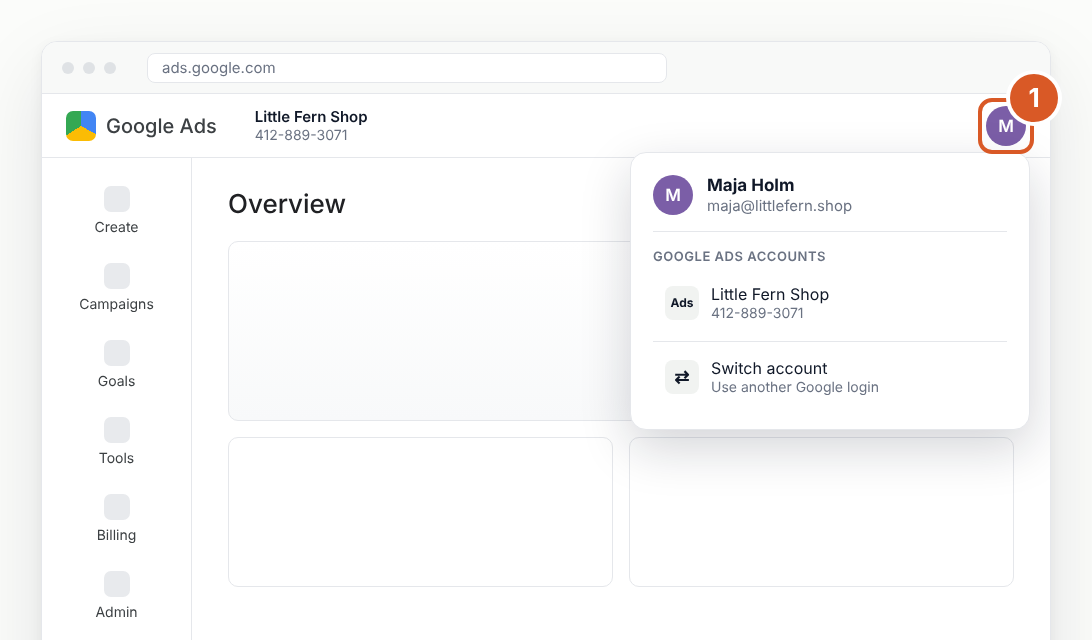
In Google Ads, click your profile picture in the top right. You'll see the Google Ads accounts this login can open.
If your account is on the list, use this login when you connect in Bavian. If it isn't, click Switch account and try your other Google login, such as your work email.
2. Ask an admin to invite you
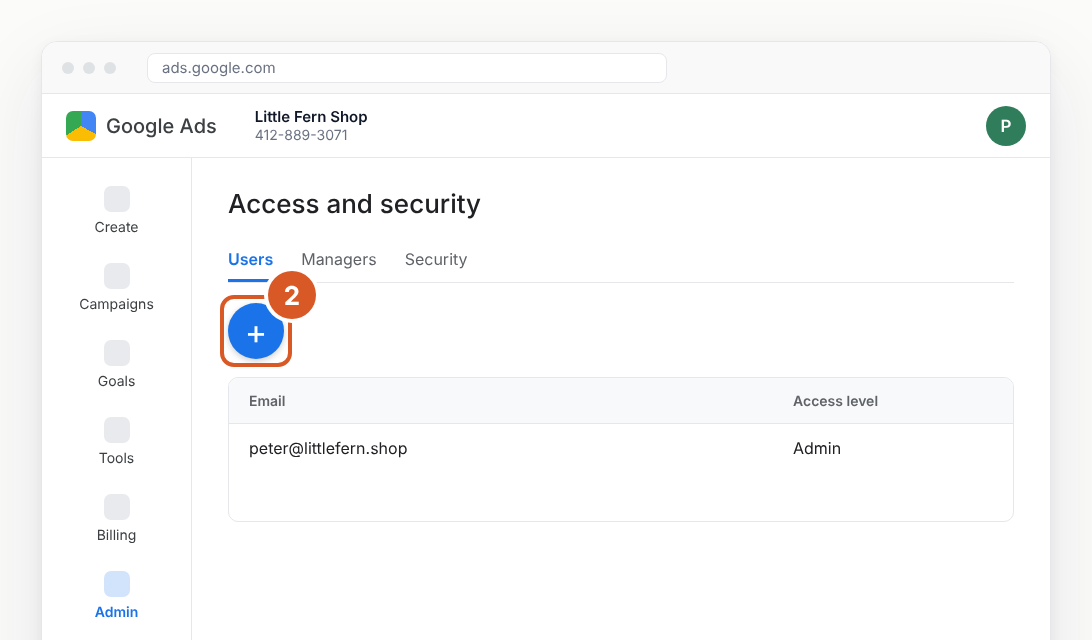
An admin of your Google Ads account must invite your Google login. That's often a colleague or your agency. Send them these steps:
- In Google Ads, open Admin, then Access and security.
- Click the blue plus button.
- Enter your email, choose Standard or Admin, and click Send invitation.
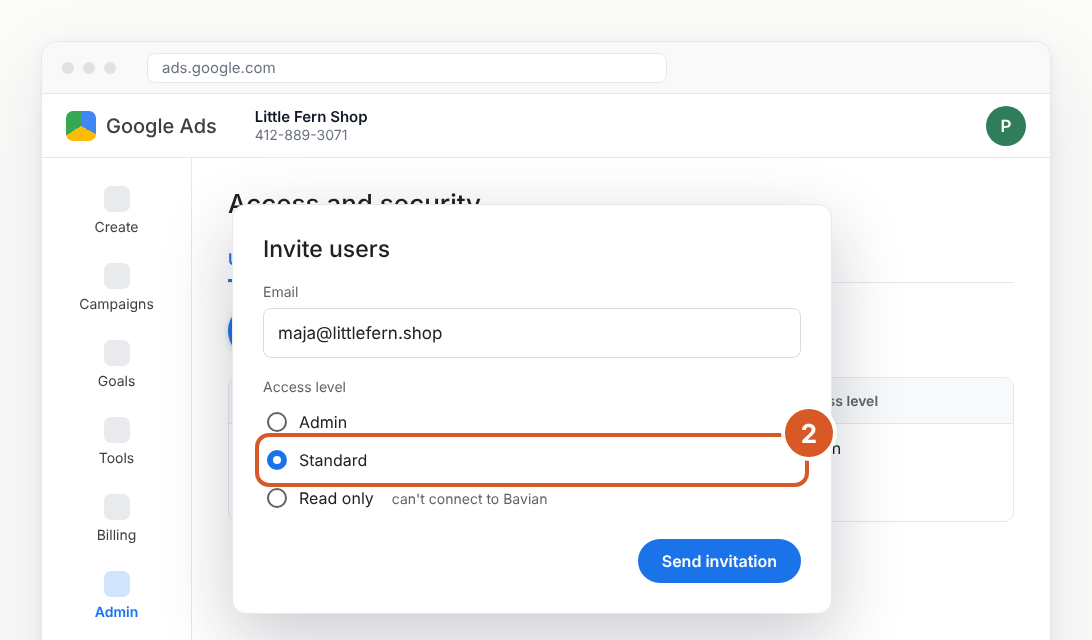
Read only access isn't enough, because Bavian can't connect with it.
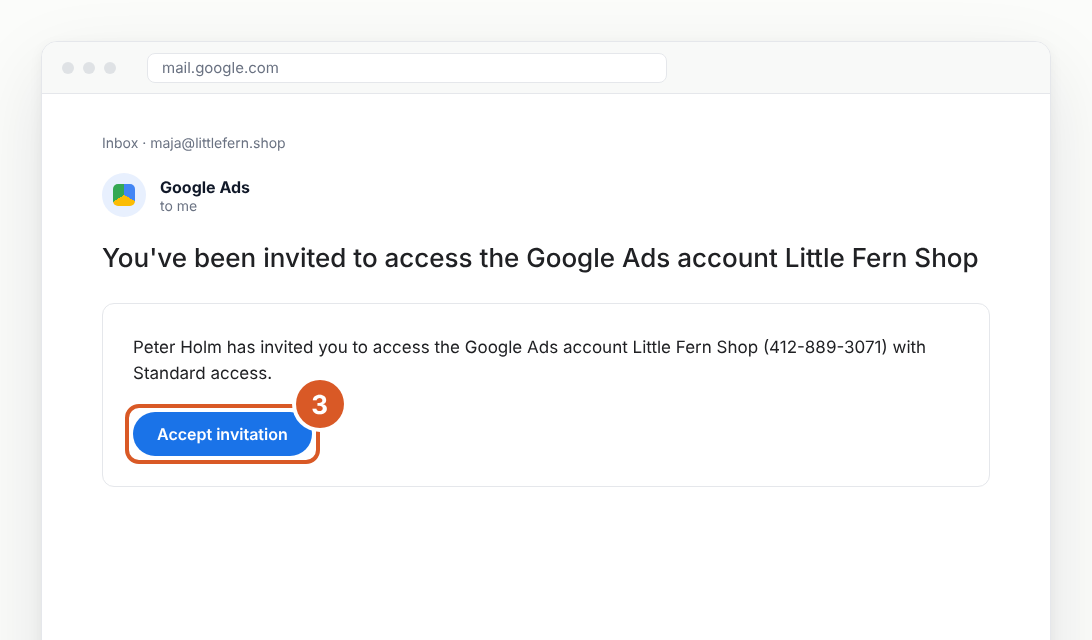
3. Accept the invitation
Google Ads sends you an email. Open it and click Accept invitation.
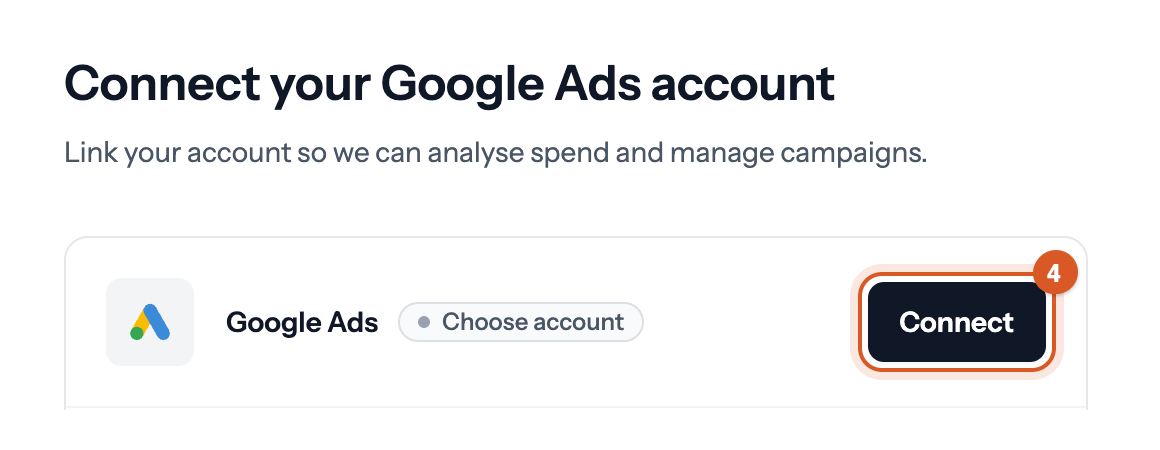
4. Connect again in Bavian
In Bavian, click Connect on the Google Ads card and choose the login that now has access. See how to connect Google Ads.
Done. Bavian can now find your Google Ads account, and your free analysis is ready on Insights in 10 to 25 minutes.
If an agency runs your ads
Your agency usually has access through its own manager account. Ask the agency to invite your Google login with Standard or Admin access, the same way as in step 2.
If something goes wrong
- Your login has Read only access. Ask an admin to change your access level to Standard in Google Ads, under Admin → Access and security.
- The invitation email didn't arrive. Check your spam folder. Make sure the admin used the same email as your Google login. The admin can see the invitation as pending under Access and security.
- Nobody in your company has admin access. If the person who set up the account has left, contact Google Ads support through Google Ads Help to get access back.
- Bavian still can't find your account. Click Connect in Bavian again, and in Google's window choose the login that accepted the invitation.