
Do I need to set anything up before I turn on Autopilot?
Updated 23 October 2026
No. Once you've connected your Google Ads account and read Bavian's analysis on Insights, you can turn on Autopilot straight away. If something is missing, such as an online store's Shopping import, the Start Autopilot box tells you.
Why getting started is the best first step
Once Autopilot is on, Bavian goes through your account every day. It checks your conversion tracking, fixes the settings it can, and tells you on the Agent page what it needs from you. So things like tracking issues don't have to be solved before you start. Bavian finds them and helps you with them as it goes.
Turn on Autopilot
- In Bavian, open Insights.
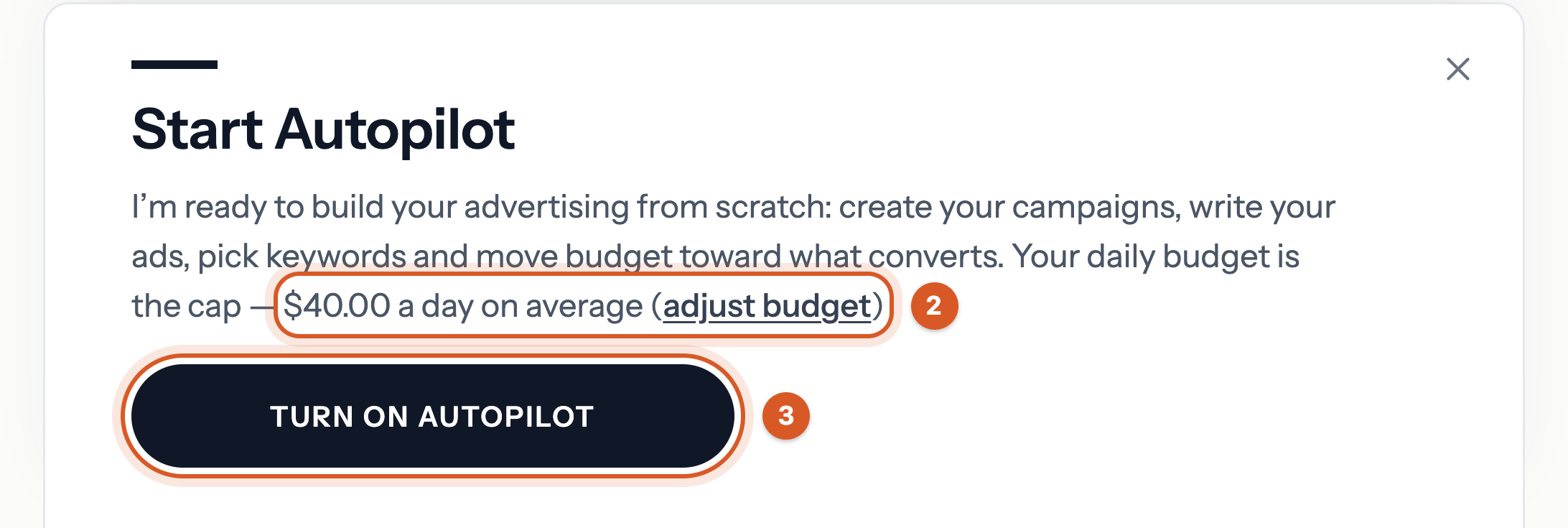
- Check the daily budget in the Start Autopilot box at the bottom.
- Click Turn on Autopilot.
Good to know
- Have rules Bavian should follow, such as words your ads must never use? Add them in Memory under Context. See How do I give Bavian instructions or set performance goals?
- See How do I activate Autopilot?