How do I change the website on my Bavian project?
Updated 6 November 2026
Create a new project and move your Google Ads account over to it. The website a project was set up with stays with that project, so a new project is how you change it. It also gives you a fresh analysis and start plan built on the right website. A project is one Google Ads account in Bavian, with its own budget and settings.
Only the owner can do this, meaning the person marked Owner under Team on the Account page. Your subscription covers the new project too.
Move to a new project
- In the old project, open Connection in the menu and click Disconnect next to Google Ads, then Disconnect again to confirm. A Google Ads account can only be in one project at a time, so this comes first.
- Open the project menu and choose Create new project.
- Connect the same Google Ads account. If Bavian asks Which website are your ads for?, enter the right website.
- Let the analysis finish and look through the start plan.
- Click Turn on Autopilot.
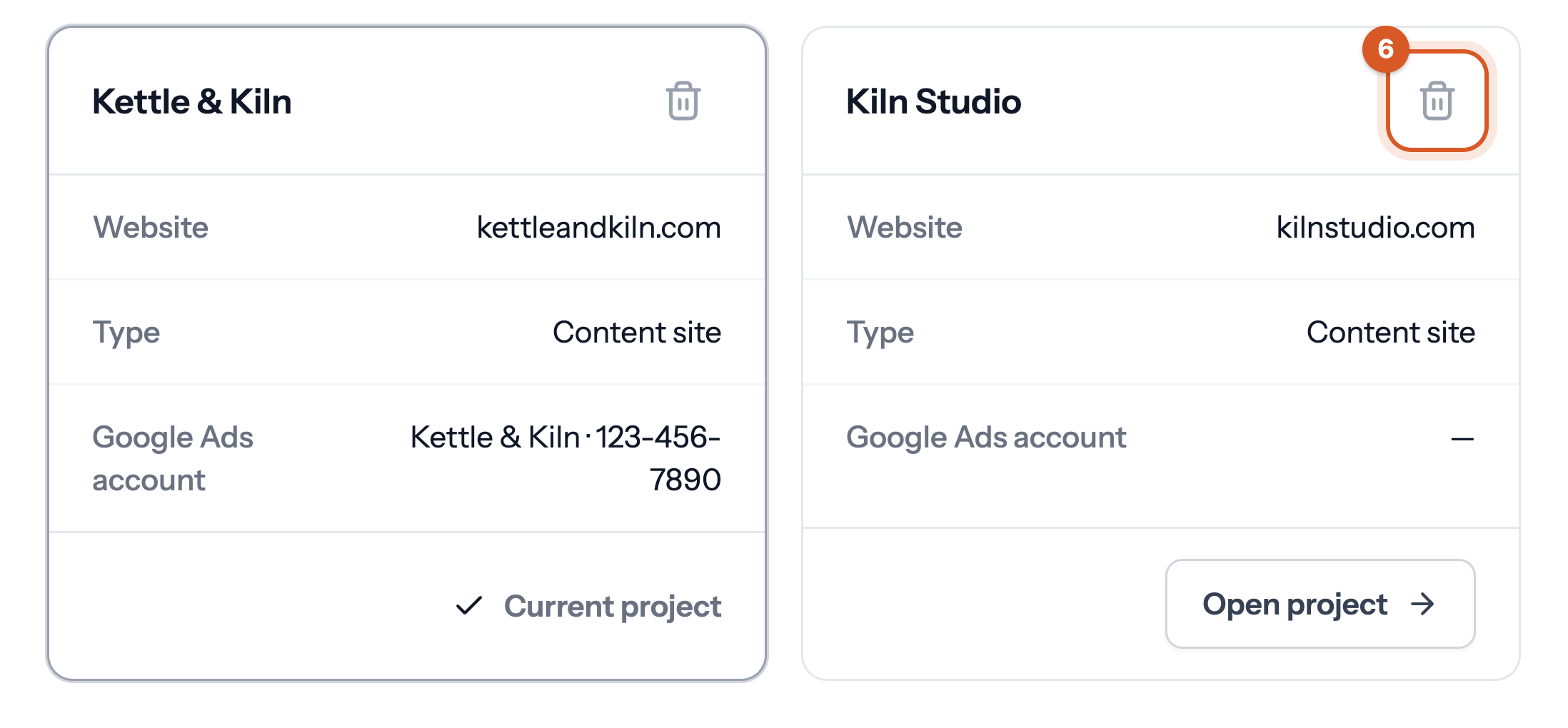
- Open All projects in the project menu, click the delete icon next to the old project and confirm with Delete project.

Good to know
- Bavian reads the website from the campaigns that are switched on in Google Ads. If they still send visitors to the old website, the new project finds that website too.
- Disconnecting removes the Shopping campaigns Bavian built. Your other campaigns keep running. See What happens to my campaigns if I disconnect Bavian?
- Rules you wrote in Memory on the Context page belong to the old project, so add them again in the new one.